Materials in one place
An exercise can include several files: instructions, a working spreadsheet, source code or an archive of supporting materials.
 labdesk.pl
For students and instructors
labdesk.pl is a platform for university laboratory coursework. It brings lab materials, report submissions, deadlines and assessment together in one place.
For programming labs, data analysis and other classes where students submit their work as files.
Screenshots show the actual application using fictional demonstration data. They contain no real student data or coursework.
01 / The student perspective
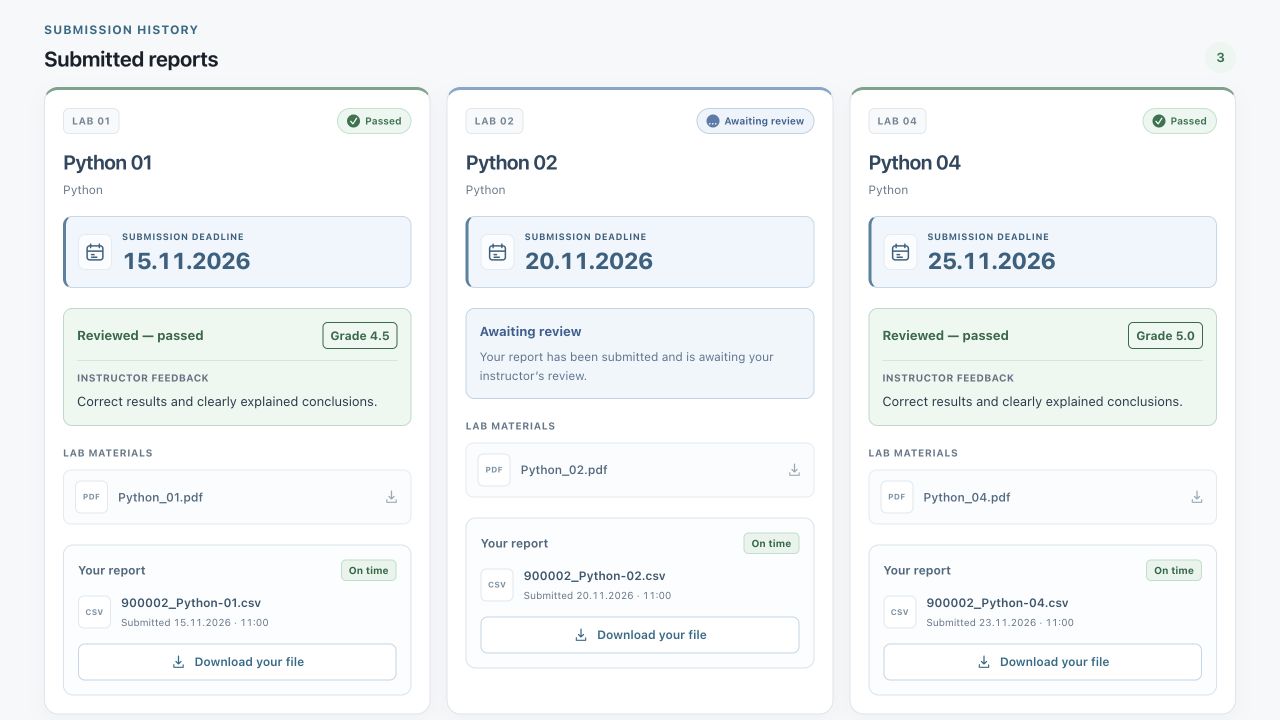
Each subject has its own laboratory exercises. The exercise card gives students the materials, submission deadline and current report status, without having to search in several places.
02 / The instructor perspective
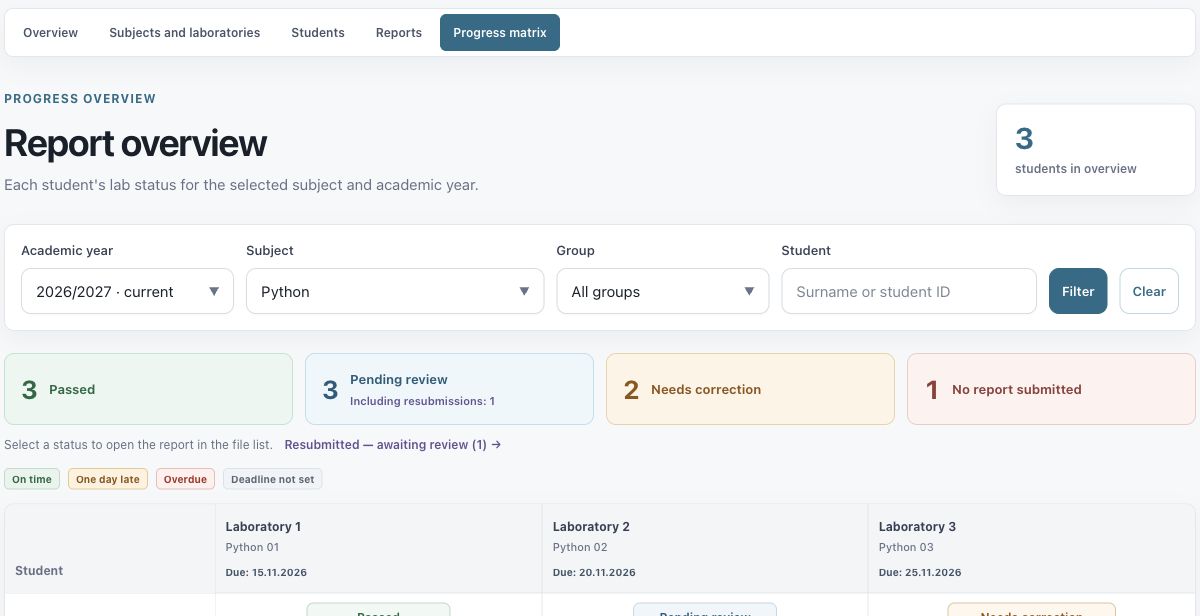
The overview brings students and laboratories together in one table. See missing reports, work awaiting review, passed exercises and revisions. Submission dates have separate indicators for timeliness.
An exercise can include several files: instructions, a working spreadsheet, source code or an archive of supporting materials.
The instructor sets the submission deadline. Returning work for revision gives 7 days from the review date; a recorded absence gives 14 days from the exercise publication date, without shortening a later deadline.
Subjects are assigned to groups. Year and group filters help separate current coursework from earlier submissions.
The Polish version is available as mojelaby.pl and the English version as labdesk.pl, supporting both Polish- and English-speaking students.
Students and instructors in university laboratory classes where materials and exercise results are shared as files. It provides a place to organise reports for programming, data analysis and other laboratory subjects.
Students select their group and enter the registration code provided by the instructor, their student ID and a password. After signing in, they see the laboratories for subjects assigned to their group.
Students can upload PDF, XLSX spreadsheets, Python files (.py), CSV or ZIP archives. Each file can be up to 10 MB.
When an instructor returns a report for revision, the student can upload a new version. It returns to the review queue and is highlighted as resubmitted in the instructor panel.
No. Access to dashboards and files requires sign-in and appropriate permissions. This information page is public; its screenshots use fictional data only.
Already have an account? Sign in to your laboratories. For questions about the platform, contact contact[at]ftgt.org.